


Hypermarket 3D: Store Cashier
4.44.01K Reviews
App Specs
- Version
- 300.1.1
- Updated On
- License
- Free
- Downloads
- 50,000,000+
- Developer
- Sunday.gg
- Categories
- Simulation
- Platform
- Android, iOS
Screenshots
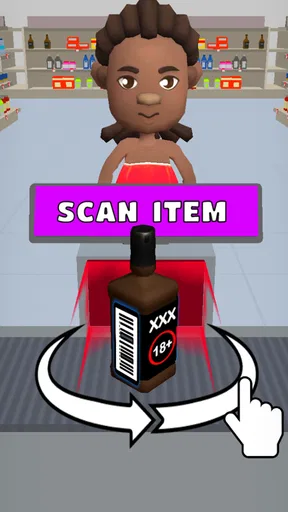
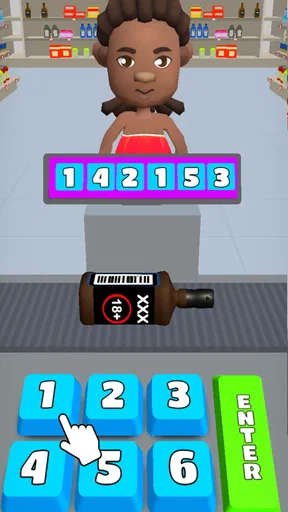
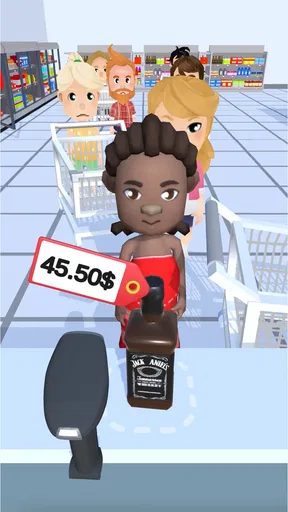
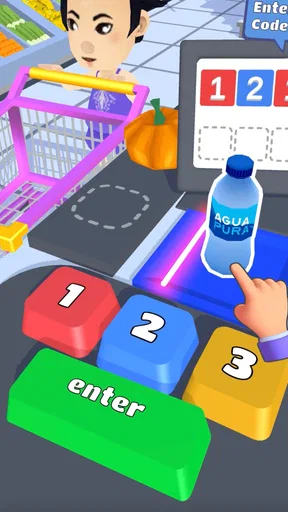
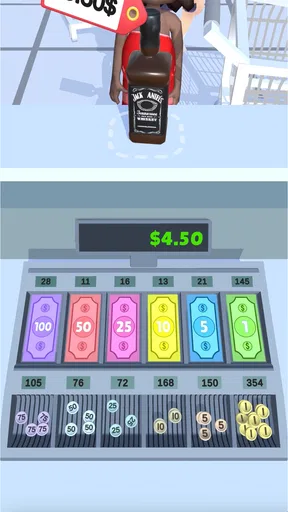
 Analysis by AppCompare
I often look for a game that can be picked up during a short pause and put down without needing a long warm-up. Hypermarket 3D: Store Cashier fits that shared-device sort of moment: one person can play a little, pass the phone along, and let someone else try a round. Its supermarket setting makes the goal immediately understandable, even to someone who rarely plays simulation games. I would treat it as a light, task-focused diversion rather than a detailed business simulator, which is the key to enjoying it.
A quick handoff works best when expectations are simple
In a household, the game’s familiar shop activities give people an easy way to take turns without needing to explain a complicated world or a long set of rules. One player can focus on moving through the store and finishing the current jobs; the next can decide whether to keep playing or stop. I would agree on whose turn it is before handing over a shared phone, especially if someone is in the middle of a level. That small bit of coordination avoids the usual confusion over whether to continue, restart, or spend earned coins.
That is also where I see its strongest everyday use: a short break while waiting for dinner, a quiet moment during a journey, or a few minutes when someone else is using the television. The supermarket theme gives children and adults a common point of reference, but the game is still a game, not a lesson in running a real shop. I would not choose it to teach budgeting or real-world cashier skills; I would choose it when the household wants something colorful and easy to understand.
Shared device, separate expectations
Before letting another person play, I would make clear that the device itself is shared and that progress or choices made during play may affect whoever uses it next. I would avoid promising separate player profiles or family controls. Instead, treat a shared session like taking turns with any casual mobile game: agree who is playing, and ask before making upgrades or other choices on behalf of the next person.
That advice matters because the game’s appeal comes from its ongoing cycle of tasks, rewards, and store changes. A younger player may be more interested in the colorful activity than in how coins are used, while an older player may care about advancing efficiently. If those priorities differ, taking turns by session rather than by individual task can make the experience feel fairer. It also reduces the temptation to rush through someone else’s progress just to reach the next activity.
Who will enjoy this kind of supermarket game?
I think it suits casual players who like clear objectives, hands-on movement, and a steady stream of small jobs. The simulation label here points to managing a shop through practical tasks, but the experience is deliberately approachable rather than a deep management exercise. If you enjoy setting prices, planning complicated supply chains, or studying detailed business systems, a more involved tycoon game will probably hold your attention longer.
The same distinction helps when comparing it with other mobile games in the category. Many simulation games lean on long-term planning, decorating, or building; this one places more emphasis on physically moving around a store and responding to what needs attention. That makes its play feel more active than a menu-heavy management game, but it also means that anyone looking for a relaxed, hands-off experience may prefer a slower builder. I would pick this when I want to do things in the shop, not merely watch a business grow.
Worth Reading Before You Choose

Baby Panda World Brings Quick Play to Modern Phones, but Its Game Library Feels Busy

ESPN’s Live Game View Makes Following Close Games Easier

QuizzLand Review: A Good Fit for Short Trivia Breaks, Not Every Player

Basketball Stars: Multiplayer Is Fast, but Can It Recover When Matches Go Wrong?

WEBTOON Turns Phone Updates Into a Better Reading Routine

Link to Windows Runs on Shared Habits, Not Social Feeds
Small choices can make a short session smoother
For a more comfortable session, I suggest focusing on the task in front of you rather than trying to rush every part of the store at once. The game asks you to switch between activities, so a quick glance around before moving can help you decide what deserves attention first. If you are playing on a shared device, finish a natural stopping point before handing it over. This is a practical way to keep a casual game from turning into an argument about unfinished work.
There is also a useful trade-off in its reward loop. Coins and upgrades give each completed task a sense of purpose, but they can make a player eager to keep going when they meant to play for only a few minutes. I would set a loose stopping point in advance, such as ending after a level or a clear task, rather than chasing the next upgrade indefinitely. That is especially helpful for younger players, who may not notice how quickly a string of small goals can extend a session.
Age, spending, and a sensible household routine
The game is rated for Everyone, so its stated age classification is broad, but I still think an adult should make the usual judgment about whether its pace and on-screen activities suit a particular child. It is free to download, while optional in-app purchases range from $0.99 to $24.99 per item. If a child uses a shared device, I would talk through purchases beforehand and check the device’s ordinary purchase settings rather than assuming the game itself provides household spending controls.
That point is worth considering even if nobody plans to spend. A free game with optional purchases can be a perfectly reasonable choice, but a child may not naturally distinguish between earning progress by playing and paying to move faster or access something sooner. I would explain the difference plainly and keep payment decisions with the adult. For a household that prefers games with no in-app purchases at all, a paid game with a one-time cost may be a better fit.
Getting Started with Hypermarket 3D
Upon launching Hypermarket 3D: Store Cashier, the first thing that caught my attention was its colorful and inviting interface. It’s like stepping into a vibrant world where you’re in charge of everything from stocking shelves to checking out customers. The tutorial was a breeze and set me up nicely to dive into the action without feeling overwhelmed.
Gameplay kicks off with you managing a small store. Your job is to ensure that customers are happy and all tasks are completed efficiently. You’ll find yourself moving around the store, restocking items, checking out customers at the cashier, and even cleaning up spills. The tasks get progressively challenging, which keeps things interesting. I love how it tests both my multitasking skills and my patience!
Features That Stand Out
One of the aspects I really appreciate about Hypermarket 3D is its smooth controls. Swiping to move around the store and tapping to interact with items is intuitive and responsive, which makes the gameplay experience seamless.
Another feature worth mentioning is the variety of tasks. It’s not just about scanning groceries; you also engage in mini-games like sorting fruits and vegetables or arranging the store layout to maximize customer satisfaction. These mini-games add a nice layer of complexity and keep you on your toes.
As you progress, the store evolves, and you unlock new areas and products. The developers have done a fantastic job of making each level feel fresh and exciting. The upgrades are rewarding, and I found myself eagerly anticipating what the next level would bring.
Visuals and Soundtrack
The graphics are charming, with a cartoonish vibe that perfectly fits the game’s light-hearted nature. Each item is detailed enough to be recognizable, which adds to the immersive experience. The soundtrack is upbeat and catchy, though I did find myself turning down the volume after a while. It’s fun, but can get a bit repetitive if you’re playing for extended periods.
Challenges and Rewards
What’s a game without a bit of a challenge, right? Hypermarket 3D delivers this in spades. Customers can be quite demanding, especially as you advance to higher levels. Balancing speed with accuracy is key, and I’ll admit, I’ve had my fair share of frantic moments trying to keep everyone happy.
Completing tasks efficiently earns you coins, which can be used to upgrade your store or purchase new items. The reward system is satisfying, offering a real sense of progress and achievement. I found myself getting slightly addicted to the cycle of earning and upgrading.
How it fits around a real day
The game is most comfortable as a small break, not as something I need to schedule a long session around. If I have a few spare minutes, I can get into the routine of moving through the shop and responding to its immediate demands. If I have more time, the changing tasks and upgrades give me a reason to continue. The important distinction is that progress can encourage “one more turn,” so I try to choose a stopping point before I start rather than relying on willpower after a reward.
For a practical shared-device routine, I would leave the game at a clear pause and tell the next person whether I finished the current activity. That is more useful than trying to coordinate every tiny action: it keeps the handoff simple while still respecting the other player’s chance to make decisions. If the phone is also used for everyday tasks, this is a good candidate for brief turns, not for occupying the device for an entire evening.
What to know before choosing it
Sunday.gg develops the game, which sits in the simulation category but favors direct, arcade-like activity over realistic store management. It has a 4.4 average from around 311,000 ratings, and has passed 50 million installs. Those figures suggest broad appeal, but they do not mean every player will enjoy the same pace. I would use them as context, not as a substitute for deciding whether quick tasks and repeated progression suit your taste.
It first arrived on April 22, 2020, and version 265.0 is the current version. It is free, rated Everyone, and requires Android 7.0 or later. Those details make it straightforward to consider for an older compatible Android device, while the purchase options are worth discussing if children share that device. For someone who wants a deep strategy game, uninterrupted quiet, or a completely purchase-free experience, I would look elsewhere; for a family or casual player who likes active shopkeeping tasks, it is an easy game to understand and try.
Final Thoughts
Overall, Hypermarket 3D: Store Cashier is a delightful and engaging game that’s perfect for anyone looking to pass the time while flexing their managerial muscles. It's light-hearted, fun, and keeps you entertained with its varied gameplay and challenges. Whether you’re a casual gamer or someone who loves a bit of strategy, this app has something to offer.
If you’re ready to take on the challenge and see if you have what it takes to run a successful supermarket, give Hypermarket 3D a try. Trust me, you won’t be disappointed!
Pros
- Engaging gameplay keeps users entertained.
- Simple controls make it easy to play.
- Variety of tasks adds to the fun.
- Colorful graphics enhance the experience.
- Regular updates with new features.
Cons
- Can become repetitive over time.
- In-app purchases can be costly.
- Advertisements may interrupt gameplay.
- Requires internet connection to play.
- Limited offline features.
FAQs for Hypermarket 3D: Store Cashier
What is the main objective of Hypermarket 3D: Store Cashier?
Hypermarket 3D: Store Cashier is a simulation game where players take on the role of a cashier in a bustling supermarket. The primary objective is to efficiently manage a variety of tasks, such as scanning items, bagging groceries, and handling payments, all while keeping the customers happy and the lines moving swiftly.
Is Hypermarket 3D: Store Cashier free to play?
Yes, Hypermarket 3D: Store Cashier is free to download and play on both Android and iOS platforms. However, the game offers in-app purchases and optional ads for players who wish to enhance their gaming experience or progress more quickly through the levels.
What features can players expect in Hypermarket 3D: Store Cashier?
Players can enjoy a variety of features, including multiple levels with increasing difficulty, different types of customers with unique demands, and a range of products to scan and bag. The game also includes upgrades for your store and cashier skills, adding depth and replayability to the gameplay.
Does Hypermarket 3D: Store Cashier require an internet connection?
Hypermarket 3D: Store Cashier primarily functions offline, allowing players to enjoy the game without an active internet connection. However, an internet connection might be necessary for certain features like in-app purchases, ad viewing, and accessing updates or additional content.
Can children play Hypermarket 3D: Store Cashier safely?
Hypermarket 3D: Store Cashier is designed to be family-friendly, making it suitable for children. The game features simple, intuitive controls and a fun, educational environment. However, parents should be aware of in-app purchases and ads, ensuring that they manage these features according to their preferences.


